Overview
OpenBrowser has a native integration with Laminar - open-source platform for tracing, evals and labeling of AI agents. Read more about Laminar in the Laminar docs.Setup
Register on Laminar Cloud and get the key from your project settings. Set theLMNR_PROJECT_API_KEY environment variable.
Usage
Then, you simply initialize the Laminar at the top of your project and both OpenBrowser and session recordings will be automatically traced.Viewing Traces
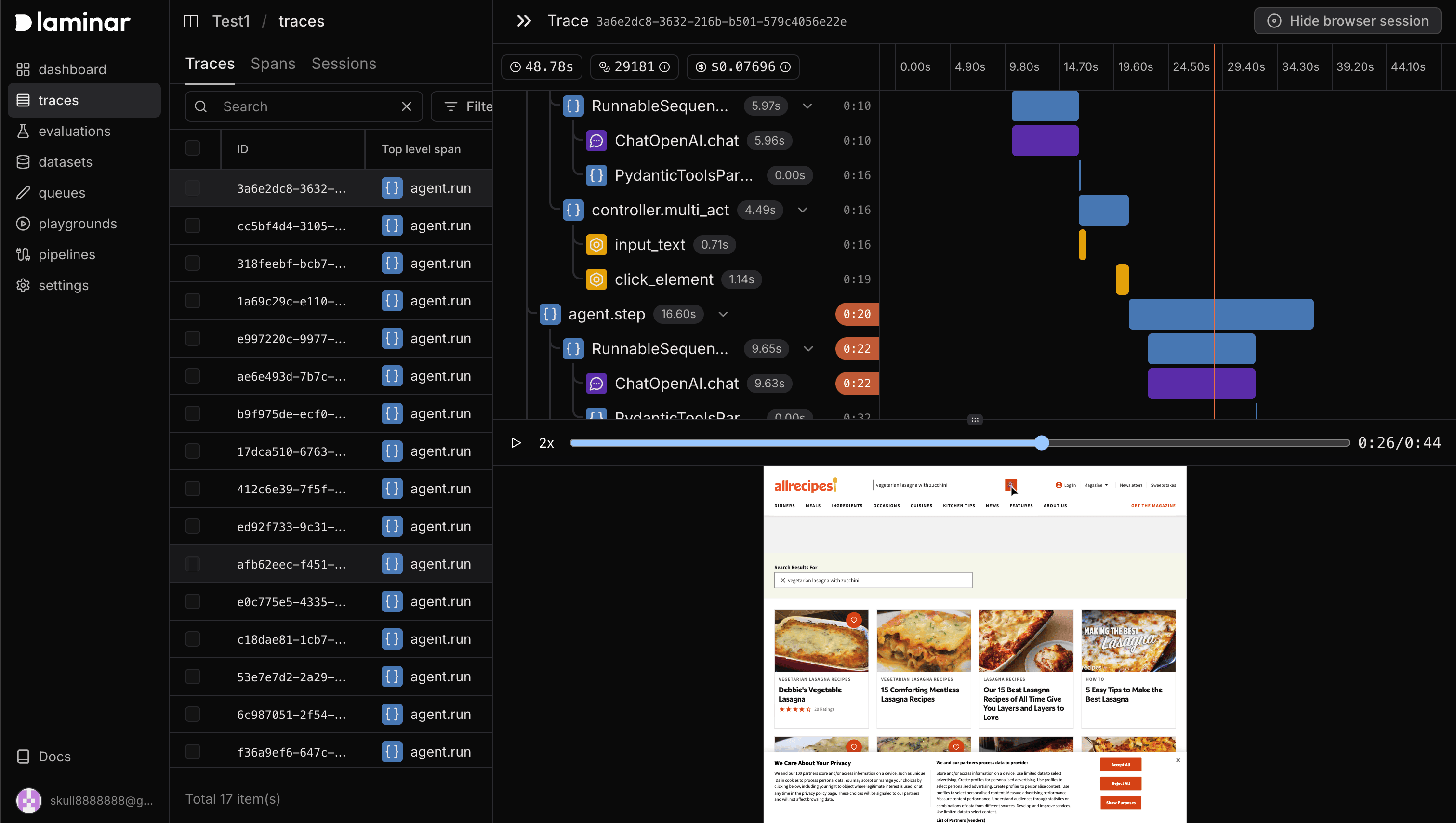
You can view traces in the Laminar UI by going to the traces tab in your project. When you select a trace, you can see both the browser session recording and the agent execution steps. Timeline of the browser session is synced with the agent execution steps, timeline highlights indicate the agent’s current step synced with the browser session. In the trace view, you can also see the agent’s current step, the tool it’s using, and the tool’s input and output. Tools are highlighted in the timeline with a yellow color.